
This is why your iPhone may not be charging right now in Milton Keynes
Experts have explained why people may be having trouble getting their iPhones to charge during the current hot weather.
They are urging people not to assume their phone has a broken charger or battery fault – it is more likely to be simply protecting itself from heat, they say.
For when an iPhone gets too warm, built-in temperature controls can slow the handset down, dim the screen, cut some camera features and pause charging until it cools.
One message users may see on the Lock Screen or in Battery settings is: “Charging On Hold. Charging will resume when [device] returns to normal temperature. ”
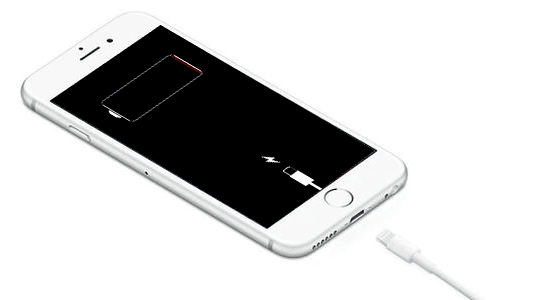

Muhammad Ali Tahir, Executive Director at the iPhone experts Zextons, said: “A charging pause in hot weather is usually a protective measure, not a sign that the phone has failed. The worst thing to do is keep it under load by using navigation, video, gaming and charging all at the same time while it is already hot.
He added: “Move it into shade, remove bulky cases, stop demanding apps and let the device cool naturally. Avoid sudden cooling tricks such as putting it in a fridge or freezer, because condensation and rapid temperature changes can create a bigger problem than the heat warning itself. ”
Leaving a phone in direct sun is an obvious risk, but summer habits such as charging in a hot car, using maps for a long journey, filming outdoors, gaming at a festival or topping up from a power bank on the beach can all add heat at the worst moment.
Apple says iPhone and iPad devices are designed for use where the surrounding temperature is between 0C and 35C. Conditions outside that range can make the device change how it behaves to regulate its temperature.
The biggest battery warning is that using an iOS or iPadOS device in very hot conditions can permanently shorten battery life. The phone may therefore limit charging or performance to help protect internal parts.
Users may notice charging, including wireless charging, slowing down or stopping. The display can dim or go black, mobile signal may weaken, the camera flash or other camera features may be temporarily disabled, and some apps may run with lower frame rates or longer processing times.
If you are using navigation, the phone can show a temperature warning saying the iPhone needs to cool down before the display turns off. Apple says audible turn-by-turn directions can still continue, with the screen lighting up again when a turn is approaching.
Their guidance is to turn the device off, move it to a cooler place away from direct sunlight, and let it cool down before trying to use it normally again.
You can also take four quick steps if the warning appears:
Stop using it: put the phone down, lock the screen and close demanding apps where possible.
Remove the case: thick or heavy cases can trap heat around the handset.
Move to a cooler area: get it out of direct sunlight, off a hot dashboard and away from a parked car.
Power down: switching it off gives the phone the quickest break from internal heat generation.
However, do not put an overheated iPhone in a fridge or freezer. A gradual cool-down is safer than exposing the device to sudden temperature shifts and moisture.